Sellix: Complete Retail Management Software in Bangladesh
Discover Sellix by Taskco Digital, an all-in-one retail management software in Bangladesh for billing, inventory, VAT, sales reports, CRM and multi-outlet management.
-6af0654180596.jpg)
Sellix: A Complete Retail Management Software for Growing Businesses in Bangladesh
Running a retail business involves much more than selling products. Business owners need to manage billing, inventory, purchasing, suppliers, customers, payments, accounting and daily sales reports. As a business grows, keeping all these activities organized becomes increasingly challenging.
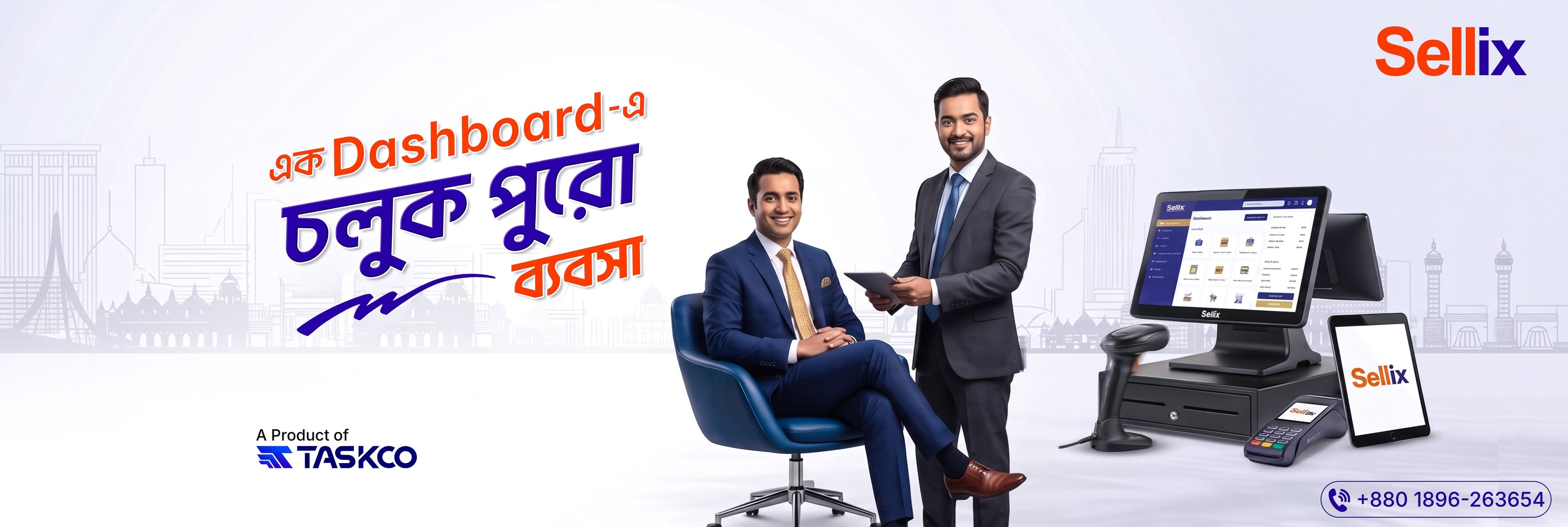
A basic billing system or manual process may work for a small shop, but things become more complicated when transaction volumes increase, product catalogs expand or new branches open. Managing separate tools for different operations can also make it difficult to maintain accurate business records.
This is where Sellix comes in.
Developed by Taskco Digital, Sellix is an all-in-one POS, inventory and sales management platform designed to help businesses manage their operations through one connected system. From in-store billing and online orders to inventory, purchasing, VAT and multi-outlet management, it brings essential business activities together.
Whether you operate a single retail shop or manage multiple outlets, Sellix helps you organize daily operations, improve business visibility and manage business growth with greater control.
In this guide, we will explore what Sellix offers, its key features, the businesses it supports and how to choose the right retail management software for your business in Bangladesh.
What Is Sellix?
Sellix is an all-in-one point-of-sale and retail management platform developed by Taskco Digital. It combines essential business operations, including sales, billing, inventory, purchasing, customer management and reporting, within one platform.
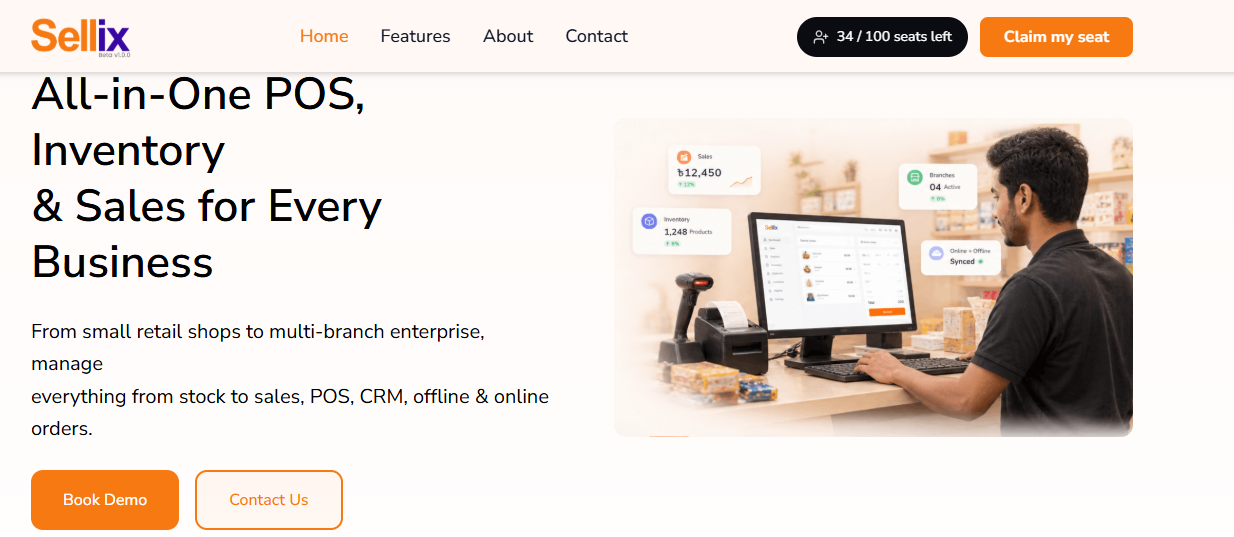
A traditional POS system mainly focuses on recording transactions at the checkout counter. However, modern retail businesses need more than a billing tool. They need a connected system that helps manage products, stock, suppliers, customers, accounts and multiple sales channels.
Sellix brings these activities together to help businesses manage:
POS and billing
Inventory and stock management
Purchasing and supplier management
Sales reports and accounting
Mushak and VAT management
Multi-outlet operations
Customer relationship management (CRM)
Loyalty and customer points
Online and in-store sales
Order management
AI-powered restock insights
Instead of switching between disconnected tools, businesses can manage these operations through a centralized platform.
How Does Sellix Work?
Sellix connects different business activities through a shared retail management platform.
1. Record Sales at the Counter
Cashiers process transactions through the POS terminal using barcode scanning and supported payment methods.
2. Keep Inventory Connected
Sales and stock information stay connected, helping businesses maintain updated inventory records.
3. Manage Purchases and Suppliers
Businesses can organize purchasing activities and supplier information alongside their stock records.
4. Monitor Business Performance
Sales reports, accounting information and outlet-level visibility help owners understand business activities.
5. Connect Online and In-Store Operations
Businesses can manage physical counter sales and online storefront activities through connected product catalog and stock capabilities.
Why Do Growing Businesses in Bangladesh Need Retail Management Software?
As a retail business expands, operational complexity increases. More products, more customers, additional employees and multiple outlets require better coordination.
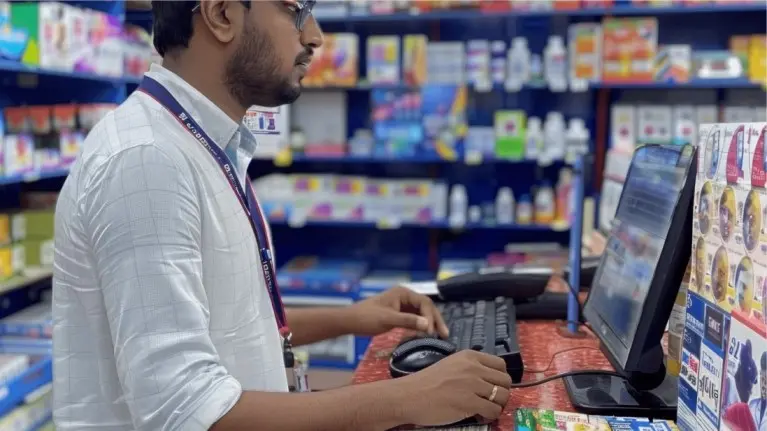
Without a connected system, business owners may face several challenges.
1. Manual Billing and Checkout Delays
Manual billing can take additional time, especially during busy business hours. Entering product information, calculating discounts and preparing invoices manually may also increase the risk of errors.
A POS system with barcode scanning can make checkout more efficient.
With Sellix, businesses can manage billing through a dedicated POS terminal, process supported payment methods and generate invoices.
2. Inventory Mismatch and Stock Management Problems
Imagine your inventory record shows 50 products, but only 42 are available on the shelf. Such mismatches can affect sales, purchasing and business planning.
A connected inventory management system helps businesses monitor stock movement and maintain more organized records.
Sellix supports real-time stock synchronization, batch and expiry tracking, and FEFO inventory management.
3. Disconnected Online and Offline Sales
Many businesses now sell through physical stores as well as online channels. Managing separate product catalogs and stock records can create confusion.
Sellix supports connected online and in-store selling, helping businesses manage a shared catalog and synchronize business information across supported channels.
4. Difficulty Managing Multiple Branches
When a business opens additional outlets, owners need to understand how each branch is performing.
Sellix offers multi-outlet management with centralized HQ and per-branch control, helping businesses monitor their operations through one platform.
5. Unorganized Customer and Financial Records
Customer information, loyalty activities, outstanding dues and financial records are important for daily business management.
A connected business management platform can help bring these records closer to everyday sales and operational activities.
Key Features of Sellix for Complete Business Management
The biggest advantage of Sellix is that it combines multiple business functions instead of focusing only on billing.

Here are the major capabilities that make it a connected retail management solution.
1. Smart POS and Fast Billing
A smooth checkout experience helps businesses serve customers more efficiently. A good POS system should make product entry, payment processing and invoice generation straightforward.
Sellix provides a POS terminal with barcode scanning, supported payment methods and billing tools.
Key Capabilities
Quick checkout with barcode scanning
Cash, card and mobile payment support
Support for bKash, Nagad and Rocket
Automatic invoicing
Instant receipts and invoices
Daily sales summaries and reports
Offline-first billing capability
POS hardware support
How It Helps Your Business
Sellix helps streamline checkout activities and organize transaction records. Its offline-first billing capability is particularly relevant for businesses that need continuity during internet interruptions.
Businesses should confirm the applicable offline functions and synchronization workflow during a product demo.
2. Smart Inventory and Real-Time Stock Management
Inventory management is one of the most important responsibilities in retail. Without accurate stock information, businesses may experience stock shortages, over-purchasing or expiry-related losses.
Sellix connects inventory with sales and purchasing activities to help businesses maintain better stock visibility.
Key Capabilities
Real-time stock synchronization
Batch and expiry tracking
FEFO inventory management
Stock monitoring
AI-powered restock forecasting
Shrinkage insights
How It Helps Your Business
Sellix helps business owners monitor stock movement and understand which products may need attention.
For businesses dealing with expiry-sensitive products, batch and FEFO capabilities can support more organized inventory management. AI restock insights can also help businesses make more informed replenishment decisions.
3. Purchasing and Supplier Management
Managing purchases is just as important as managing sales. Retail businesses regularly purchase products from suppliers and need organized records of their purchasing activities.
Sellix includes purchasing and supplier management tools to help connect procurement with inventory operations.
Key Capabilities
Supplier management
Purchase management
Purchasing records
Supplier-related information
Auto-reorder capabilities
How It Helps Your Business
With Sellix, businesses can bring purchasing and supplier information closer to their daily inventory operations.
This helps owners maintain better visibility into purchasing activities and plan replenishment more systematically.
4. Multi-Outlet Management
Expanding a business to multiple locations is a major milestone. However, managing separate outlets can become difficult when sales, inventory and reports are not connected.
Sellix offers centralized HQ and per-branch control to help businesses manage multiple outlets through one platform.
Key Capabilities
Centralized HQ dashboard
Per-branch management
Outlet-wise sales visibility
Stock synchronization
Profit visibility by outlet
How It Helps Your Business
Sellix helps business owners monitor their retail operations without depending entirely on separate manual reports from each location.
It gives growing businesses a more connected approach to managing branch-level activities and understanding outlet performance.
5. Mushak and VAT Management
For many businesses in Bangladesh, VAT documentation and record management are important parts of daily operations.
Sellix supports NBR Mushak 6.3 invoice generation and VAT-related workflows, helping businesses maintain more organized sales documentation.
Key Capabilities
Mushak 6.3 invoice support
VAT-related sales documentation
Organized transaction records
How It Helps Your Business
By connecting sales information with VAT-related documentation, Sellix can help businesses organize their invoicing process and maintain relevant records.
Businesses should confirm their specific VAT configuration and reporting workflow with the Taskco Digital team before implementation.
6. Accounting and Sales Reports
Sales figures alone cannot explain the complete financial performance of a business. Owners also need visibility into accounting information and outlet-level profitability.
Sellix brings accounting and sales reporting capabilities into its retail management platform.
Key Capabilities
Real-time sales reports
Accounting records
Profit visibility by outlet
Daily sales summaries
Business performance monitoring
How It Helps Your Business
Sellix helps business owners review sales and financial information in a more organized way. This can support better operational decisions and improve visibility into business performance.
7. CRM and Customer Loyalty Management
Building customer relationships is essential for long-term business growth. Businesses need ways to understand their customers, maintain information and encourage repeat purchases.
Sellix includes CRM and loyalty capabilities to support customer management.
Key Capabilities
Customer information management
Loyalty points
Customer engagement support
WhatsApp and SMS capabilities
How It Helps Your Business
With Sellix, businesses can manage customer-related information alongside their sales operations.
Loyalty points can also help businesses create customer reward opportunities and encourage repeat purchases.
8. Online Store and In-Store Sales Integration
Modern retail businesses often operate through more than one sales channel. A customer may purchase from a physical shop, browse an online storefront or place an order through a connected channel.
Sellix supports online and in-store selling with a shared product catalog and connected operations.
Key Capabilities
Online storefront support
Connected product catalog
Online and in-store selling
Stock synchronization
Order management
How It Helps Your Business
Sellix helps businesses bring physical and online selling closer together, reducing the need to manage completely separate product information and stock records.
9. Order Management and Smart Ordering Tools
Some businesses need more than traditional counter billing. Restaurants, cafés and order-based businesses may need tools to receive, customize and manage customer orders.
Sellix includes several ordering capabilities to support these workflows.
Key Capabilities
QR code table ordering
Multi-language menus
Custom order notes
Order scheduling
Product variants and modifiers
Order status notifications
Repeat ordering
Loyalty points on orders
How It Helps Your Business
These tools can help businesses organize customer ordering activities and make the ordering experience more convenient.
For example, a customer can scan a QR code at a table to view a menu and place an order. Businesses can also support custom instructions, scheduled orders and order status notifications.
10. AI-Powered Tools and Automation
As business operations grow, manually monitoring every activity becomes increasingly difficult. Smart tools can help business owners identify areas that need attention.
Sellix includes AI restock forecasting, shrinkage insights and a Bangla assistant as part of its broader platform capabilities.
Key Capabilities
AI restock forecasting
Shrinkage insights
Bangla assistant
Automated workflows
Connected order, payment and delivery operations
How It Helps Your Business
Sellix combines business data with smart tools to support more informed decisions. Instead of depending entirely on manual observation, businesses can use available insights to identify stock-related and operational priorities.
How to Choose the Right Retail Management Software for Your Business
Choosing retail management software is an important business decision. The right platform should match your current operations and support your future growth.
Before selecting a solution, consider these factors.
1. Understand Your Business Requirements
Start by identifying the areas where your current system creates the most difficulty.
For example:
Do you need faster billing?
Are your inventory records difficult to maintain?
Do you manage online and physical sales separately?
Are you planning to open additional branches?
Do you need better customer and financial records?
Your requirements should guide your software selection.
2. Check the POS and Billing Features
A good POS system should support efficient checkout, barcode scanning, invoice generation and relevant payment methods.
What to Check
Billing speed and usability
Barcode scanner compatibility
Payment method support
Receipt and invoice generation
Offline billing requirements
3. Evaluate Inventory and Purchasing Tools
Inventory and purchasing are closely connected. Check whether the platform supports stock monitoring, purchase records, supplier information and expiry management where relevant.
What to Check
Real-time stock synchronization
Batch and expiry tracking
FEFO support
Supplier management
Restock planning
4. Consider Multi-Outlet Requirements
If your business has multiple branches or plans to expand, check whether the platform can provide centralized and branch-level management.
What to Check
Centralized dashboard
Per-branch visibility
Outlet-wise reports
Stock synchronization
Accounting visibility by outlet
5. Review Integrations and Local Business Requirements
Your retail management software should support the workflows that matter to your business.
What to Check
Local payment methods
Mushak and VAT requirements
Online storefront connectivity
Customer communication tools
Required hardware support
6. Evaluate Scalability and Support
A software solution should remain useful as your business grows. Consider the platform's modular capabilities, onboarding process, training and available support.
What to Check
Ability to support business expansion
Feature availability for your industry
Setup and onboarding process
Product demonstration
Customer support and maintenance arrangements
What Should You Look for in a POS and Inventory Management System?
POS and inventory management are two closely connected parts of retail operations. A business should not evaluate them as completely separate functions.

A suitable system should connect sales, stock, purchasing and reporting to maintain more consistent business information.
1. Connected Billing and Inventory
When a product is sold, the related inventory record should stay connected to the transaction. This helps reduce dependence on separate manual stock updates.
2. Offline Billing Capability
Internet connectivity can sometimes become unreliable. Businesses that need uninterrupted counter operations should understand how offline billing works and what happens when connectivity returns.
3. Payment and Invoice Management
Check whether the platform supports your required payment methods and invoice workflows, including local payment options and relevant VAT documentation.
4. Stock and Expiry Monitoring
For businesses handling expiry-sensitive products, batch tracking and FEFO inventory management can be important requirements.
5. Reporting and Business Visibility
A useful platform should help owners understand sales performance, stock information and outlet-level business activities.
6. Scalability Across Outlets
If your business is expanding, check whether the system supports centralized management and per-branch visibility.
These considerations can help businesses evaluate solutions such as Sellix according to their actual operational requirements rather than choosing software based only on its billing interface.
Who Can Use Sellix?
Sellix is designed to support different types of businesses, from individual retail shops to growing multi-outlet operations.
1. Grocery Shops and Supermarkets
Grocery businesses manage a large number of products, frequent transactions and expiry-sensitive inventory.
Sellix can support these operations through:
Barcode-based billing
Real-time stock synchronization
Batch and expiry tracking
FEFO inventory management
Purchasing and supplier management
Sales reporting
2. Fashion and Lifestyle Stores
Fashion retailers manage products with different sizes, colors and variations. They also need organized sales and inventory information.
Sellix can help these businesses manage:
Product catalog information
POS billing
Inventory records
Sales reports
Customer loyalty activities
Multi-outlet operations
3. Electronics and Mobile Shops
Electronics businesses often need to track individual products and their warranty information.
Sellix supports:
IMEI tracking
Serial number management
Warranty records
Barcode billing
Inventory management
Sales documentation
4. Cosmetics and Beauty Shops
Cosmetics retailers often manage a wide range of products with different batch and expiry requirements.
Sellix can support their operations through:
Batch and expiry tracking
FEFO inventory management
Stock monitoring
Barcode billing
Customer management
Sales reports
5. Multi-Branch Retail Businesses
Businesses with multiple outlets need a connected way to monitor their operations.
Sellix provides:
Centralized HQ control
Per-branch management
Real-time stock synchronization
Outlet-wise reporting
Accounting visibility
Sellix vs Traditional Manual Business Management
Many businesses begin with notebooks, spreadsheets or separate billing tools. These methods may work initially, but they can become harder to maintain as operations expand.
Business activity | Manual management | With Sellix |
Billing | Manual entry and calculation | POS and barcode billing |
Inventory | Separate stock records | Connected stock management |
Purchasing | Scattered purchase records | Purchasing and supplier tools |
Sales reports | Manual calculations | Organized sales reports |
Multiple outlets | Separate branch records | Centralized outlet management |
VAT documentation | Separate record preparation | Mushak 6.3 support |
Customer engagement | Manual customer records | CRM and loyalty capabilities |
Restocking | Manual stock checking | AI restock insights |
The goal of Sellix is not simply to replace a cash register. It is to help businesses connect important operational activities through one retail management platform.
What Makes Sellix a Scalable Retail Management Solution?
A business management platform should support current operational needs while allowing businesses to grow.
Sellix is designed around modular and scalable operations, helping businesses manage different activities through one connected platform.
One Platform for Multiple Operations
Businesses can manage POS, stock, purchasing, outlets, VAT, accounting and AI restock tools without relying entirely on disconnected applications.
Connected Online and Offline Operations
Sellix supports in-store and online selling, helping businesses manage their product catalog and sales activities across connected channels.
Built for Business Expansion
From a single retail shop to businesses with 100+ outlets, Sellix provides centralized and per-branch management capabilities.
Tools for Local Business Requirements
With support for local payment methods, Mushak 6.3 and a Bangla assistant, Sellix addresses several requirements relevant to businesses operating in Bangladesh.
Why Choose Sellix by Taskco Digital?
Sellix is developed by Taskco Digital, a technology company providing software development, business automation and SaaS solutions for growing businesses.
Taskco Digital developed Sellix as an all-in-one POS and business management platform for retail operations.
Rather than focusing only on checkout, Sellix brings billing, inventory, purchasing, CRM, accounting, VAT, ordering and multi-outlet management into one connected ecosystem.
For businesses looking for a more organized way to manage their daily operations, Sellix offers a platform that combines essential retail tools with automation and smart business insights.
Businesses can book a demo with the Taskco Digital team to explore how Sellix fits their operational requirements.
Final Thoughts: Manage Your Business Smarter with Sellix
Growing a business brings new opportunities, but it also increases the complexity of daily operations. Managing billing, inventory, purchasing, customers, accounting and multiple outlets separately can make it harder to maintain control.
Sellix brings these essential business activities together in one connected platform.
With smart POS, real-time inventory, purchasing, Mushak 6.3 support, CRM, online and in-store selling, multi-outlet management and AI-powered insights, Sellix helps businesses move beyond disconnected systems.
Whether you operate a grocery shop, fashion store, electronics business, restaurant or multiple retail outlets, Sellix can help you build a more organized approach to business management.