Sellix Inventory Management: A Smarter Way to Track Stock, Purchases and Suppliers
Manage stock, purchases and suppliers smarter with Sellix Inventory Management by Taskco Digital. Track inventory, monitor expiry and simplify retail operations.
-6af0647c46eec.jpg)
SellixInventory Management: A Smarter Way to Track Stock, Purchases and Suppliers
Managing inventory is one of the most important responsibilities of running a retail business. From tracking available products to managing purchases and maintaining supplier relationships, every inventory-related activity affects daily operations and profitability.
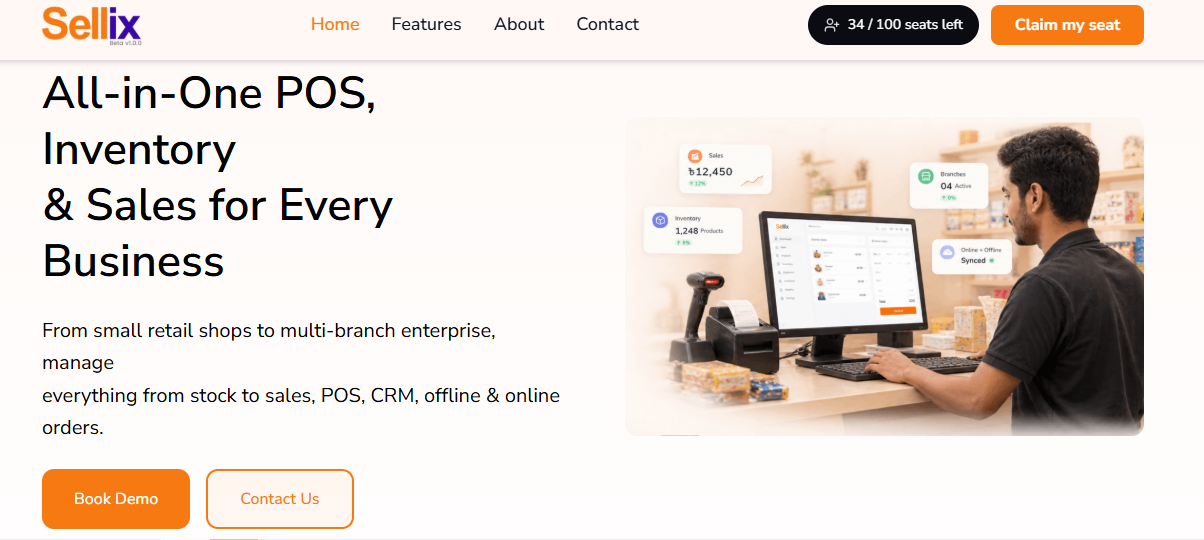
However, as a business grows, managing stock through spreadsheets, handwritten records or disconnected systems becomes increasingly difficult. Products may go out of stock unexpectedly, excess inventory can occupy valuable space, and purchase records may become difficult to track.
This is whereinventory management softwarebecomes essential.
Sellix by Taskco Digital brings inventory, purchasing and supplier management into one connected platform. It helps retailers organize stock, monitor product movement, manage suppliers and make smarter inventory decisions.
In this guide, we will explore how modern inventory management works, why retailers need a smarter system and how Sellix helps simplify everyday stock management.
What IsInventory Management?
Inventory management is the process of tracking, organizing and controlling the products a business purchases, stores and sells.
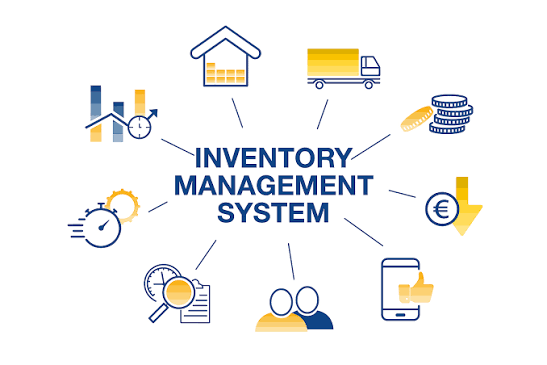
It involves monitoring available stock, recording incoming purchases, tracking product movement, managing suppliers and ensuring that products are available when customers need them.
For retail businesses, effective inventory management helps answer important questions:
How many products are currently available?
Which products are running low?
Which items need to be reordered?
How much stock has been purchased?
Which suppliers provide specific products?
Are any products approaching their expiry dates?
Without an organized system, finding accurate answers can take time and lead to mistakes.
An inventory management system helps bring these activities together, giving business owners better visibility and control over their stock.
Why Retail Businesses Need Inventory Management Software
Inventory challenges often become more noticeable as a business grows. More products, frequent purchases, multiple suppliers and increasing sales create additional responsibilities.

Here are some common challenges retailers face.
1. Stock Mismatch and Inaccurate Records
When stock is updated manually, even small mistakes can create differences between recorded inventory and actual stock.
A product may appear available in the records even after it has been sold, or a purchase may not be recorded correctly.
An organized inventory management system helps businesses maintain more consistent stock records.
2. Unexpected Stockouts
Running out of popular products can mean missed sales opportunities and dissatisfied customers.
Without regular stock monitoring, retailers may not notice low-stock products until customers start asking for them.
Tracking stock levels helps businesses identify products that need attention before they run out.
3. Overstocking and Unnecessary Costs
Purchasing too much stock can tie up business capital and occupy valuable storage space.
Products with limited shelf lives may also become difficult to sell if they remain in storage for too long.
Better inventory visibility helps retailers make more informed purchasing decisions.
4. Disorganized Purchase Records
Retail businesses regularly purchase products from different suppliers. Keeping track of purchase quantities, costs and related records manually can become complicated.
A centralized purchasing process helps organize purchase information and makes it easier to review inventory-related activities.
5. Difficulty Managing Suppliers
Retailers often work with multiple suppliers, each providing different products.
Without organized supplier records, businesses may struggle to maintain purchasing information and identify which supplier is associated with particular products.
A connected supplier management system helps keep supplier and purchasing activities organized.
Essential Features of a Modern Inventory Management System
Choosing the right inventory management software means looking beyond basic stock counting. A modern system should help retailers manage the complete inventory process, from purchasing products to monitoring stock movement.
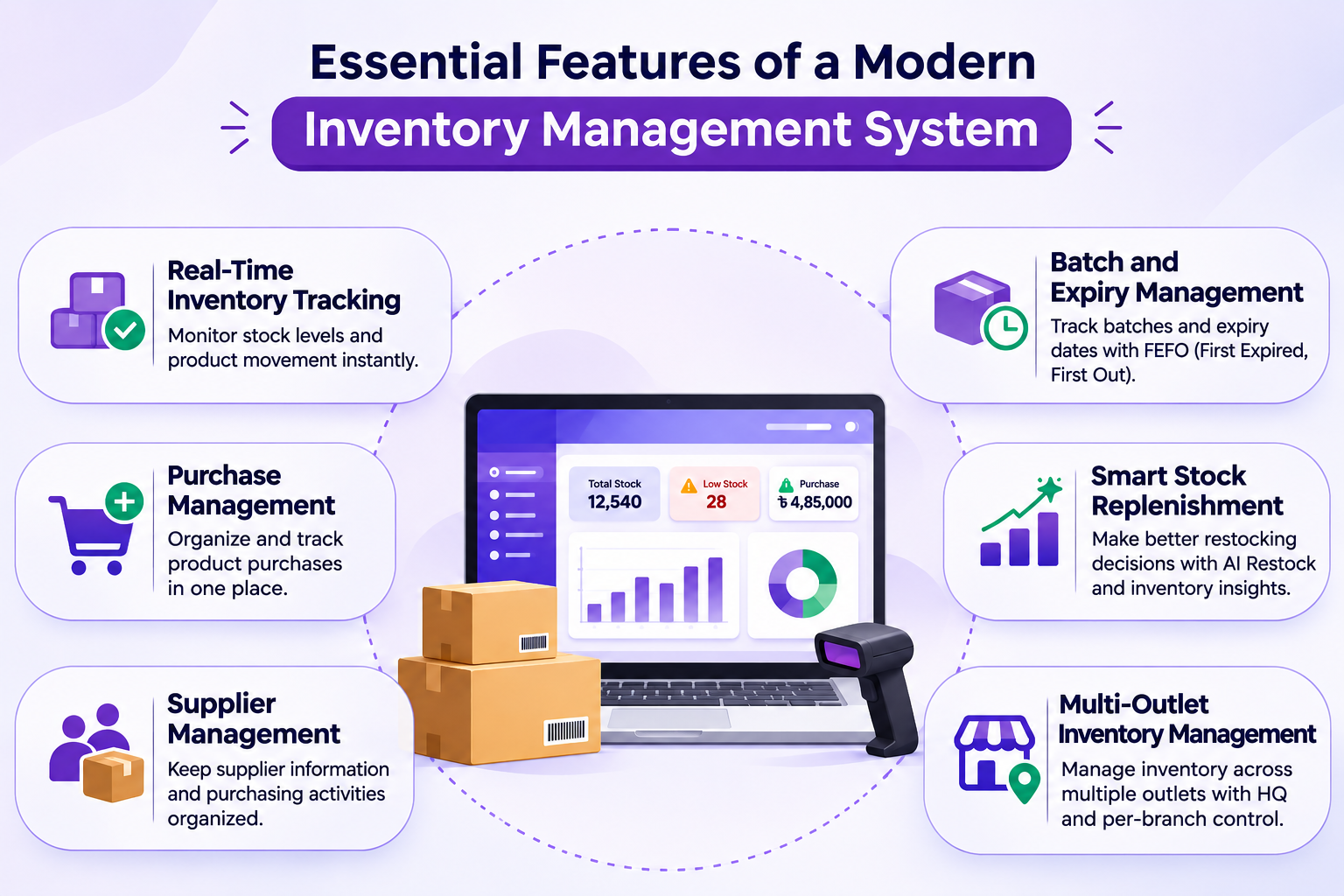
Here are some important features to consider.
1. Real-Time Inventory Tracking
Real-time stock visibility helps retailers understand their current inventory position.
Instead of depending on separate spreadsheets or manual updates, businesses can use a centralized system to monitor stock information.
This helps retailers:
Check available product quantities.
Monitor stock movement.
Identify products that need attention.
Keep inventory information organized.
Make better stock-related decisions.
Sellix supports real-time stock sync, helping businesses maintain connected inventory information across their operations.
2. Purchase Management
Purchasing is a major part of inventory management. Retailers need to know what they are buying, how much they are purchasing and which products need replenishment.
A purchase management system helps organize purchasing activities and connect them with inventory operations.
With Sellix's purchasing and supplier management capabilities, businesses can manage supplier-related purchasing activities through a connected platform.
3. Supplier Management
Supplier management helps businesses organize their relationships with product suppliers.
When supplier information and purchasing activities are managed in a structured way, retailers can make it easier to review their sourcing activities.
A good system should help businesses maintain an organized purchasing workflow and connect supplier activities with inventory management.
Sellix brings purchasing and supplier management together, helping retailers manage these essential operations from one platform.
4. Batch and Expiry Management
For businesses selling products with expiry dates, tracking batches and product shelf life is particularly important.
Grocery stores, supermarkets, pharmacies and other relevant retailers need visibility into product batches and expiry information.
Sellix includes inventory and FEFO capabilities for managing stock, batches and expiry.
FEFO stands for First Expired, First Out. It is an inventory rotation approach that prioritizes products with the earliest expiry dates.
This can help businesses organize stock handling and reduce the risk of overlooking products nearing expiry.
5. Smart Stock Replenishment
Knowing when to purchase more products is just as important as knowing how much stock is available.
A smart replenishment approach helps retailers identify products that may need restocking and plan purchasing activities more effectively.
Sellix includes AI Restock capabilities designed around forecasting and shrinkage insights.
These capabilities support smarter inventory decisions by helping businesses pay closer attention to stock requirements and potential inventory issues.
6. Multi-Outlet Inventory Management
Managing inventory becomes more complex when a business operates multiple outlets.
Each branch may have different stock levels, sales activity and purchasing requirements. Without centralized visibility, keeping track of inventory across locations can become challenging.
Sellix supports multi-outlet management with HQ and per-branch control, helping businesses manage operations across multiple locations through a connected platform.
HowSellixMakes Inventory Management Smarter
Sellix by Taskco Digital is an all-in-one POS, inventory and sales management platform designed for businesses that want to manage their operations more efficiently.
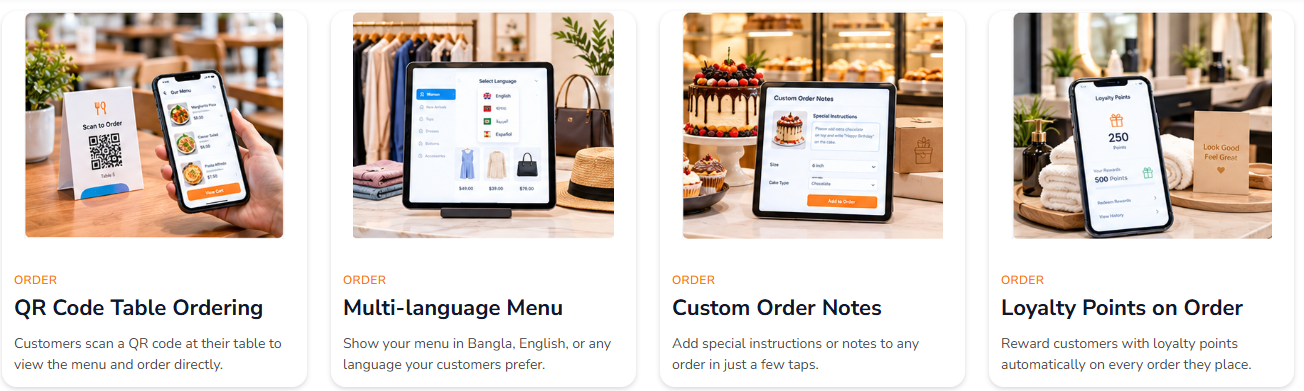
Rather than treating inventory as a separate activity, Sellix connects stock management with purchasing, POS, sales and multi-outlet operations.
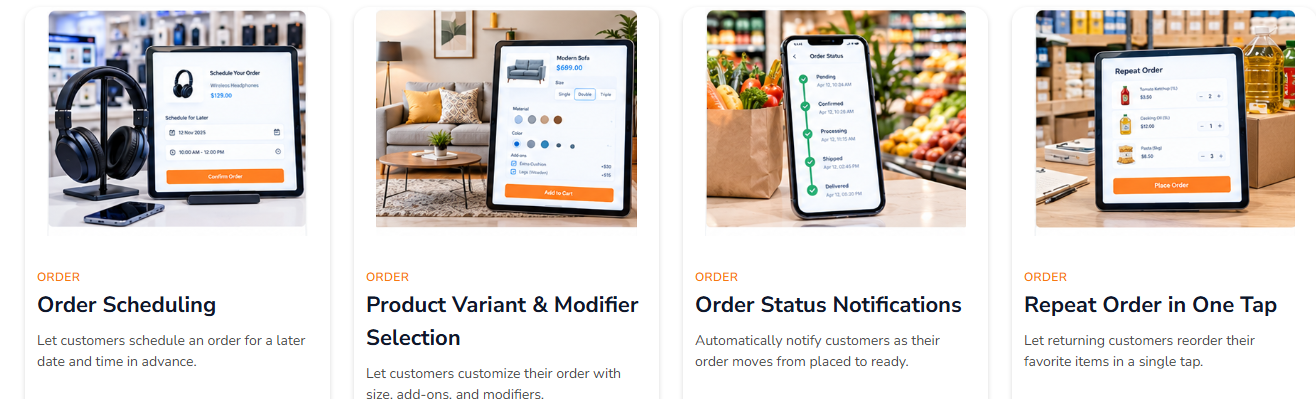
Here is how its inventory-related capabilities support retail businesses.
Inventory and FEFO Management
Sellix helps businesses manage stock, batches and expiry information through its Inventory & FEFO capabilities.
This is especially useful for retailers handling products with different batch details or expiry dates.
Purchasing and Supplier Management
Sellix brings purchasing and supplier management into the same platform.
Retailers can organize supplier-related purchasing activities as part of their broader inventory workflow.
Real-Time Stock Sync
With real-time stock sync, businesses can maintain connected stock information across their operations.
This is particularly valuable for retailers managing both physical stores and online sales.
AI Restock and Inventory Insights
Sellix includes AI Restock capabilities focused on forecasting and shrinkage.
These features support retailers in understanding stock requirements and identifying inventory-related concerns.
Multi-Outlet Control
For businesses with multiple branches, Sellix provides HQ and per-branch control.
This helps business owners manage inventory and retail operations through a centralized platform while maintaining branch-level control.
Inventory Management Softwarevs. Manual Stock Management
Manual inventory tracking may work when a business has only a few products and limited purchasing activity. However, as operations grow, managing everything manually can become increasingly difficult.
Manual Stock Management | Sellix Inventory Management |
Stock records maintained separately | Centralized inventory management |
Manual stock updates | Real-time stock sync |
Separate purchase records | Connected purchasing management |
Supplier information managed separately | Purchasing and supplier management |
Difficult to organize batch and expiry information | Inventory & FEFO capabilities |
Restocking decisions rely heavily on manual review | AI Restock forecasting and shrinkage insights |
Multiple outlets require separate coordination | HQ and per-branch control |
The right system helps retailers reduce unnecessary manual work and gain better visibility into inventory operations.
Which Businesses Can Benefit from Inventory Management Software?
Inventory management is important across different retail industries. However, the specific requirements may vary depending on the products a business sells.
Grocery Stores and Supermarkets
Grocery businesses manage a large number of products, many of which have expiry dates.
Batch and expiry management, stock monitoring and purchasing organization can help maintain better inventory control.
Fashion and Lifestyle Stores
Fashion retailers often manage different sizes, colors and product variations.
Organized inventory tracking helps businesses monitor available products and understand which items need replenishment.
Electronics and Mobile Shops
Electronics retailers handle products that may require serial number, IMEI and warranty tracking.
A connected retail management platform can help bring inventory and sales activities into one workflow.
Cosmetics and Beauty Stores
Cosmetics retailers often manage products with different variants, batches and expiry dates.
FEFO-based inventory management can help organize products according to their expiry information.
Multi-Branch Retail Businesses
Retail chains need visibility across different outlets.
Centralized inventory management with branch-level control helps business owners coordinate stock and purchasing activities across locations.
How to Choose the Right Inventory Management Software
Not every inventory management system offers the same capabilities. Before selecting one, retailers should consider their current business requirements and future growth plans.
Here are some important factors to evaluate.
1. Understand Your Inventory Requirements
Start by identifying how many products you manage, how frequently you purchase stock and whether you need batch or expiry tracking.
Your software should support the actual inventory requirements of your business.
2. Check Purchase and Supplier Management
Inventory management does not stop at counting products. Review whether the system can support your purchasing process and supplier-related activities.
3. Look for Real-Time Stock Visibility
A centralized system with real-time stock sync can help businesses maintain more consistent inventory information.
4. Consider Multi-Outlet Support
If you operate or plan to open multiple branches, check whether the software supports centralized management and branch-level control.
5. Evaluate Smart Restocking Capabilities
Look for features that help you understand stock requirements and make more informed replenishment decisions.
6. Choose a Connected Business Platform
Inventory works closely with purchasing, billing and sales. A platform that connects these activities can provide a more complete view of retail operations.
Manage Stock, Purchases and Suppliers with Sellix
Inventory management is more than keeping a record of available products. It involves coordinating stock, purchases, suppliers and replenishment decisions to keep business operations organized.
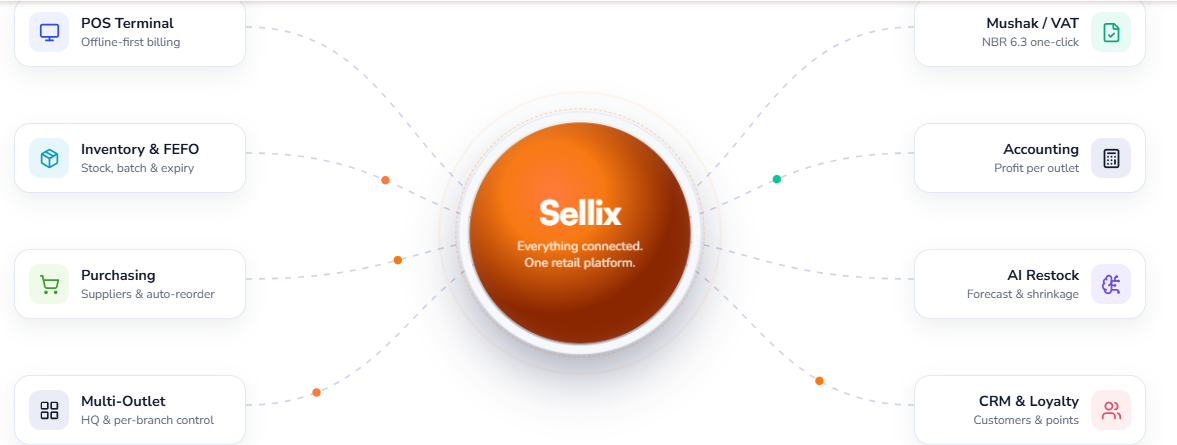
As retail businesses grow, manual processes can make these activities harder to manage. A connected inventory management system helps retailers gain better visibility, organize purchasing activities and manage stock more efficiently.
Sellixby Taskco Digitalbrings Inventory & FEFO, Purchasing & Supplier Management, Real-Time Stock Sync, AI Restock and Multi-Outlet Management into one platform.
Whether you operate a single retail shop or manage multiple outlets, Sellix helps bring essential business operations together.