Best POS Software in Dhaka for Retail Businesses 2027
Explore the best POS software in Dhaka for 2027. Manage billing, inventory, VAT and multiple outlets with Sellix by Taskco Digital.
-6af2c3b352d03.jpg)
Running a retail business in Dhaka requires more than just selling products and managing customers. From handling daily billing and tracking inventory to managing suppliers and calculating profit, retailers face multiple operational challenges. As competition grows across areas like Gulshan, Badda, Banani, Dhanmondi, Uttara and Mirpur, managing everything manually can become difficult.
Stock mismatches, slow billing, inaccurate sales records and poor inventory visibility can affect business performance. This is why many retailers are looking for the best POS software in Dhaka to simplify their daily operations.
A modern Point of Sale (POS) system does more than process transactions. It connects billing, inventory, purchasing, accounting and business reporting through one platform. Choosing the right POS software can help retailers reduce manual work, improve accuracy and manage their businesses more efficiently.
In this guide, we will explore the essential features of retail POS software, what to consider before purchasing and how Sellix by Taskco Digital helps retail businesses manage their operations.
1. What Is POS Software and How Does It Work?
Understanding Point of Sale (POS) Software
Point of Sale (POS) software is a digital business management solution that helps retailers process sales, generate invoices, track inventory and monitor business performance. It replaces many traditional manual processes with automated systems.
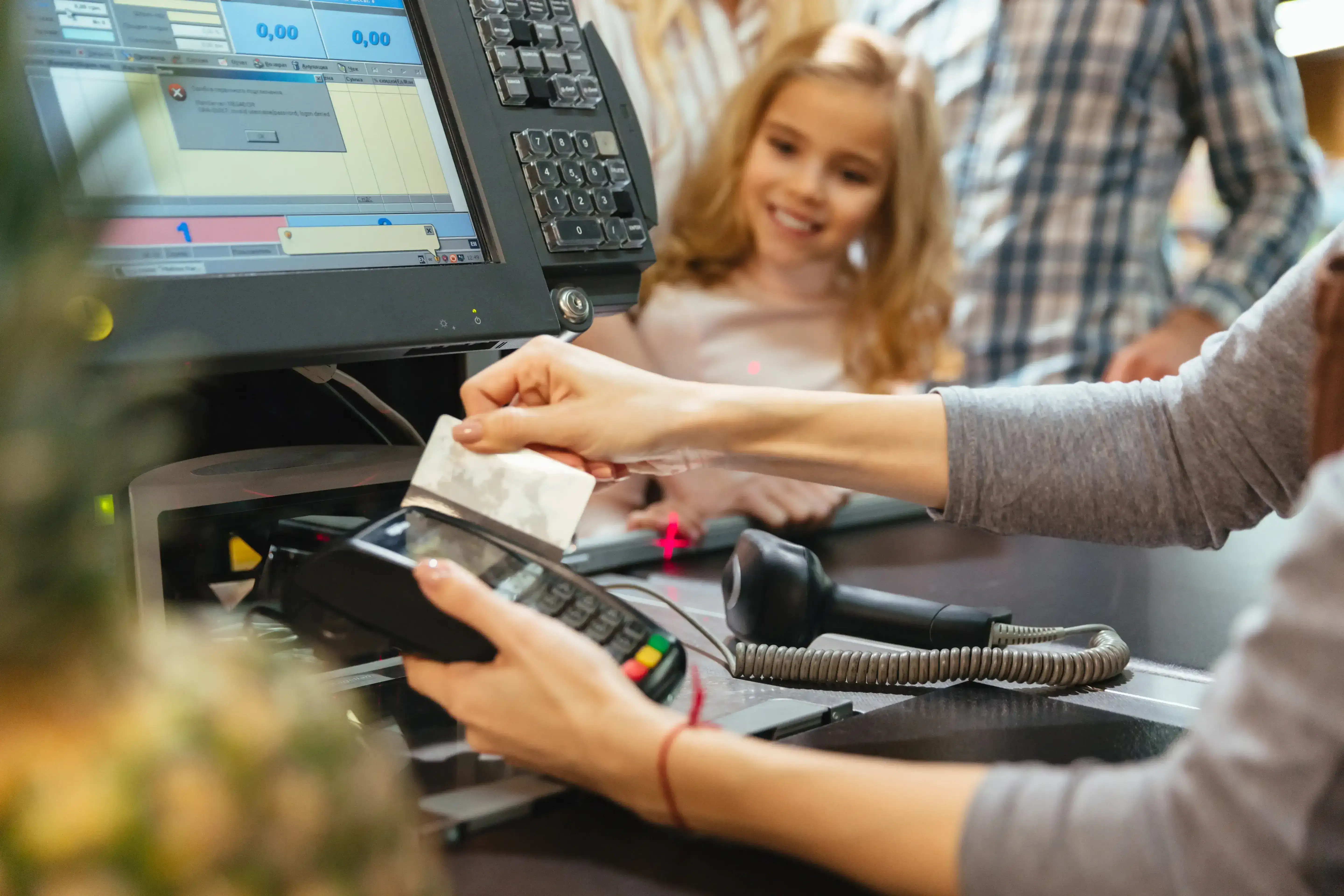
A modern POS system connects the billing counter with inventory and sales records, allowing business owners to maintain better control over daily operations.
How Does a POS System Work in a Retail Shop?
A POS system manages the sales process through several connected activities:
Product Selection: Cashiers select products manually or scan barcodes.
Billing: The system automatically calculates prices, quantities and applicable discounts.
Payment Processing: Customers complete payments through supported payment methods.
Invoice Generation: The system generates receipts and sales invoices.
Inventory Updates: Stock quantities are adjusted according to recorded transactions.
Sales Reporting: Business owners can review sales records and performance reports.
POS Software vs Traditional Billing System
Traditional Billing | Modern POS Software |
Manual billing | Automated billing |
Paper-based stock records | Digital inventory tracking |
Manual calculations | Automatic calculations |
Separate sales records | Connected sales information |
Time-consuming reporting | Digital sales reports |
A modern POS system provides better visibility into sales and inventory, making everyday retail management more organized.
Why Do Retail Businesses in Dhaka Need POS Software?
Retail businesses in Dhaka operate in a competitive environment where speed, accuracy and proper stock management matter. A reliable POS system helps address several common operational challenges.
Faster Billing and Checkout Management
Long queues and slow billing can negatively affect customer experience, especially during busy shopping hours. POS billing software helps cashiers process transactions faster through barcode scanning, automatic calculations and instant invoice generation.
Better Inventory and Stock Management
Maintaining accurate stock records is essential for every retailer.
Prevent Stock Mismatch
Digital inventory records help retailers compare recorded stock with actual stock and identify discrepancies.
Monitor Low Stock
Retailers can monitor product availability and identify items that may require replenishment.
Accurate Sales and Profit Tracking
Understanding business performance requires more than knowing daily sales revenue.
Monitor Daily and Monthly Sales
Sales reports help business owners review transaction records and identify popular products.
Understand Business Profit
Accounting and financial records provide better visibility into business expenses and profit performance.
Easier Multi-Outlet Business Management
Retailers operating multiple outlets need centralized information to monitor different locations. Multi-branch POS software helps business owners review branch-wise sales, stock and operational performance without depending entirely on separate manual reports.
Essential Features of the Best POS Software in Dhaka
Before selecting a POS system, retailers should evaluate its ability to manage their complete business operations.
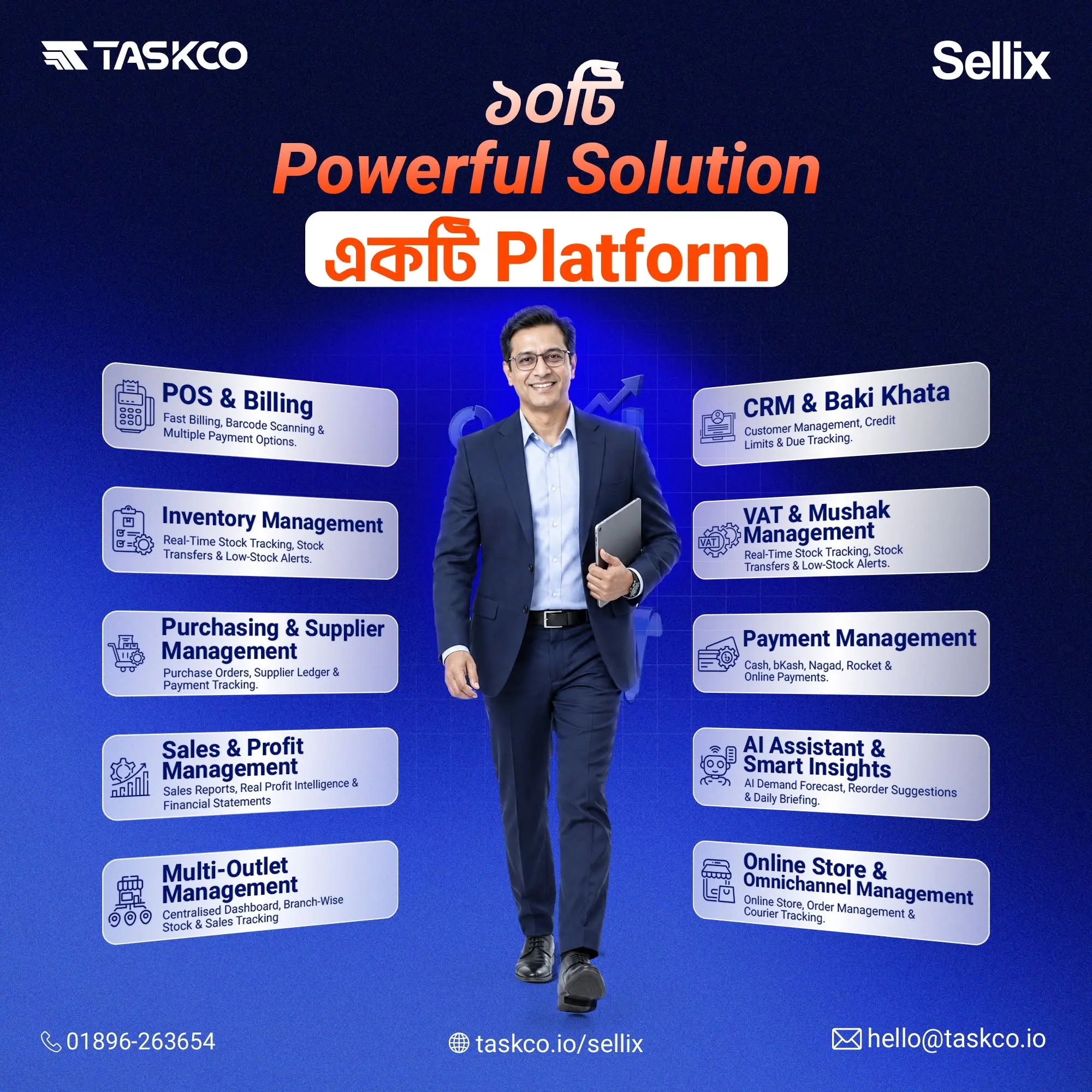
1. POS Billing and Checkout Management
Fast billing is one of the most important features of retail POS software.
Barcode Scanning and Quick Billing
Barcode scanning helps cashiers identify products quickly and reduce manual product selection.
Multiple Payment Methods and Instant Invoicing
A good POS system should support relevant payment methods, including cash, card and mobile payments such as bKash, Nagad and Rocket, along with instant receipts and invoices.
2. Real-Time Inventory Management
Inventory management software helps retailers maintain accurate stock information and organize product records.
Product and Variant Management
Retailers should be able to manage product information, categories, sizes, colours and other variations.
Batch and Expiry Management
Businesses dealing with perishable or expiry-sensitive products need proper batch and expiry tracking.
FEFO Inventory Management
First Expiry, First Out (FEFO) helps retailers prioritize products with earlier expiry dates to reduce potential expiry-related losses.
3. Purchase and Supplier Management
Managing purchasing activities and supplier records is important for maintaining a consistent stock supply.
Purchase Records and Supplier Information
Retailers should maintain supplier details, purchasing history and related records.
Stock Replenishment
Organized purchasing and replenishment workflows help businesses plan their stock requirements.
4. Multi-Outlet Management
Businesses with multiple branches need centralized operational visibility.
Centralized Stock and Sales Monitoring
A centralized dashboard helps owners review information across different outlets.
Branch-Wise Inventory and Stock Transfers
Retailers can monitor stock availability by location and organize stock transfers according to business requirements.
5. Sales Reporting and Accounting
Retail accounting software helps businesses understand their financial performance.
Daily and Monthly Sales Reports
Sales summaries provide information about transaction volumes and revenue.
Revenue, Expenses and Profit Tracking
Organized financial records help retailers evaluate business performance and make informed decisions.
6. VAT and Mushak Management
Retail businesses in Bangladesh should consider VAT-related documentation when selecting POS software.
VAT-Related Sales Records
A suitable system should help organize VAT-related transaction information.
Mushak 6.3 Documentation
Retailers should check whether their POS solution supports the relevant Mushak 6.3 invoice requirements and verify compliance with applicable NBR regulations.
7. Offline POS Functionality
Internet interruptions can affect everyday retail operations.
Billing During Internet Interruptions
Offline-first billing allows supported POS operations to continue during internet disruptions.
Data Synchronization
Retailers should check how transactions synchronize when internet connectivity returns.
8. AI-Based Stock Replenishment
AI-powered stock management can provide useful insights into inventory planning.
Stock Forecasting and Restocking Insights
Forecasting tools can help retailers identify potential replenishment requirements.
Identifying Potential Stock Shortages
Stock insights can help business owners make better purchasing decisions and reduce the risk of running out of important products.
9. Customer Management and Loyalty
Customer management features help retailers maintain customer information and build stronger relationships.
Customer Profiles and Purchase History
Organized customer records make it easier to understand purchasing activities.
Loyalty Points and Customer Engagement
Loyalty programs can encourage repeat purchases and improve customer engagement.
What Is Sellix and How Does It Work?
What Is Sellix?
Sellix is an all-in-one POS, inventory and sales management platform developed by Taskco Digital. It is designed to help retail businesses manage their daily operations through one connected platform instead of using multiple disconnected tools.
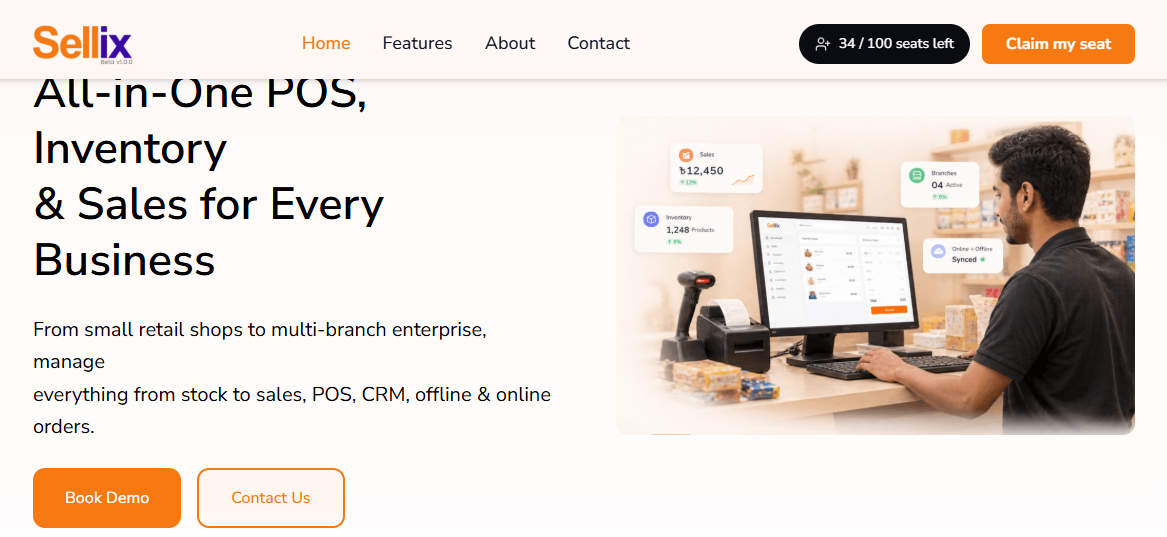
From small retail shops to multi-branch businesses, Sellix brings essential business functions together, including POS billing, inventory management, purchasing, supplier management, accounting, VAT, customer management and AI-powered stock replenishment.
Sellix helps retailers maintain better visibility over their products, customers, sales and inventory while simplifying everyday business activities.
How Does Sellix Work?
Sellix connects different retail operations through a centralized business management platform. Its workflow covers several important activities:
1. Manage Products and Inventory
Retailers can organize product information, categories, variants and stock records. Inventory functionality also supports batch and expiry management, including FEFO workflows.
2. Process Sales Through POS
When customers purchase products, cashiers can process transactions through the Sellix POS terminal using supported billing and payment options. Sellix also supports offline-first billing.
3. Keep Stock Information Connected
Sales and inventory operations are connected to help maintain updated stock records and provide better visibility into product availability.
4. Manage Purchases and Suppliers
Retailers can organize purchase activities and supplier information while using stock insights to support replenishment decisions.
5. Monitor Sales and Financial Performance
Business owners can use sales reports and accounting features to review business performance, including outlet-wise profit visibility.
6. Make Smarter Stock Decisions
Sellix AI Restock provides forecasting and stock insights to help retailers identify potential replenishment needs and manage inventory more effectively.
Through these connected operations, Sellix helps businesses manage their retail activities from product management and billing to inventory and financial reporting.
How to Choose the Right POS Software for Your Retail Business
Choosing the right POS software requires understanding your current business requirements and future growth plans.
Identify Your Business Requirements
Determine whether you need basic billing, advanced inventory, purchasing, accounting or multi-outlet management.
Choose Software Based on Your Industry
A grocery shop may need expiry tracking, while an electronics retailer may require IMEI and warranty management.
Evaluate Inventory and Billing Features
Check whether sales transactions, stock records and purchase activities work together.
Check Online and Offline Capabilities
Understand which operations remain available during internet interruptions and how synchronization works.
Consider Future Business Expansion
Choose scalable software that can support additional products, users and retail outlets.
Request a Demo Before Purchasing
A live demonstration helps you understand the interface, billing process, inventory workflow and available features before making a decision.
How Sellix by Taskco Digital Helps Retail Businesses in Dhaka
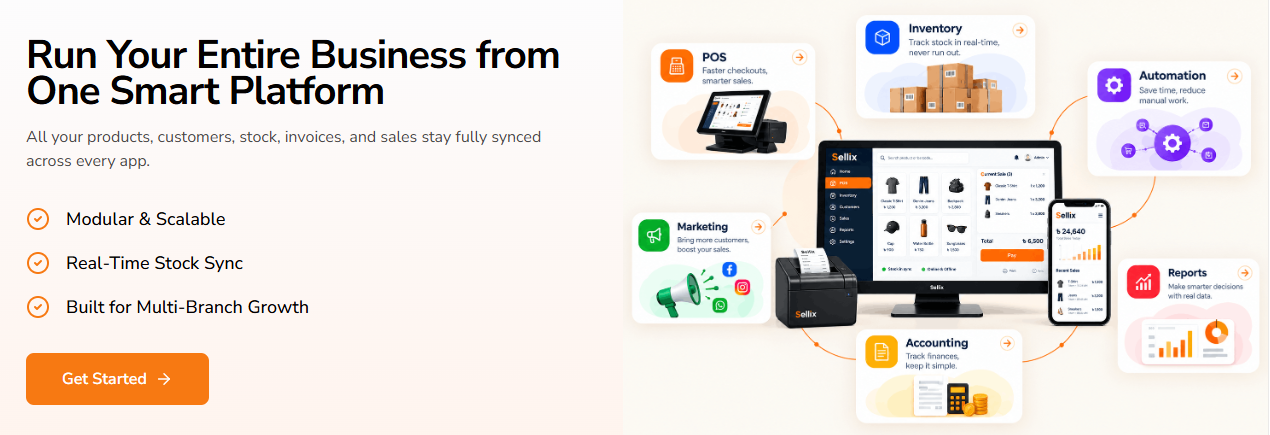
Sellix by Taskco Digital is an all-in-one POS, inventory and sales management platform designed to simplify retail operations. It connects billing, purchasing, stock management, accounting and multi-outlet activities through one platform.
Fast Billing with Sellix POS
Sellix provides POS and billing functionality designed for faster retail checkout.
Barcode Scanning and Quick Checkout
Retailers can manage product billing through barcode scanning and an organized checkout process.
Multiple Payment Methods and Offline-First Billing
Sellix supports cash, card and mobile payment options, including bKash, Nagad and Rocket. Its offline-first billing capability helps maintain checkout operations during internet interruptions.
Smart Inventory and FEFO Management
Sellix helps retailers organize product information and maintain stock visibility.
Real-Time Stock Synchronization
Connected stock records help retailers monitor inventory across their operations.
Batch and Expiry Management
Inventory and FEFO functionality supports better management of batch and expiry-sensitive products.
Simplified Purchase and Supplier Management
Sellix connects purchasing activities with supplier and inventory management.
Purchase Records and Supplier Tracking
Retailers can organize purchasing information and supplier records.
Stock Replenishment Workflows
Integrated purchasing and AI restock insights help businesses make more informed replenishment decisions.
Centralized Multi-Outlet Management
Sellix supports businesses operating multiple retail locations.
Head Office and Branch-Level Control
Businesses can manage head-office and individual branch operations through a connected platform.
Outlet-Wise Sales and Profit Visibility
Accounting and reporting features provide business performance visibility across outlets.
VAT, Mushak and Accounting Management
Sellix includes VAT-related functionality and accounting tools for retail operations.
Mushak 6.3 Functionality
The platform highlights NBR Mushak 6.3 functionality to support VAT-related invoicing workflows.
Accounting and Business Performance Tracking
Retailers can organize accounting records and monitor profit information by outlet.
AI-Powered Stock Replenishment
Sellix includes AI restock capabilities that provide forecasting and stock insights to support better replenishment planning.
Customer Management and Loyalty
Sellix also includes CRM and loyalty capabilities to organize customer information, purchase history and loyalty points.
By connecting these functions, Sellix helps retailers manage more of their daily business activities without switching between multiple disconnected tools.
Which Retail Businesses in Dhaka Can Benefit from Sellix?
Sellix is designed for different types of retail businesses, from individual shops to multi-outlet operations.
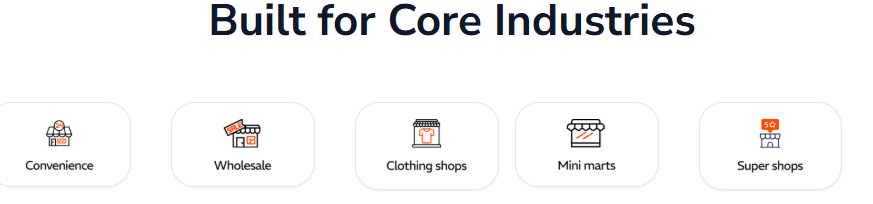
Grocery Shops and Supermarkets
Manage fast billing, inventory records and expiry-sensitive products.
Fashion and Clothing Stores
Organize product sizes, colours, variants and stock information.
Electronics and Mobile Shops
Manage product inventory with IMEI, serial number and warranty-related functionality.
Cosmetics and Beauty Stores
Manage product catalogues, stock records and daily sales activities.
Furniture and Footwear Retailers
Organize product variations, inventory and retail transactions.
Why Choose Sellix by Taskco Digital?
Sellix brings essential retail management functions together through one connected platform.
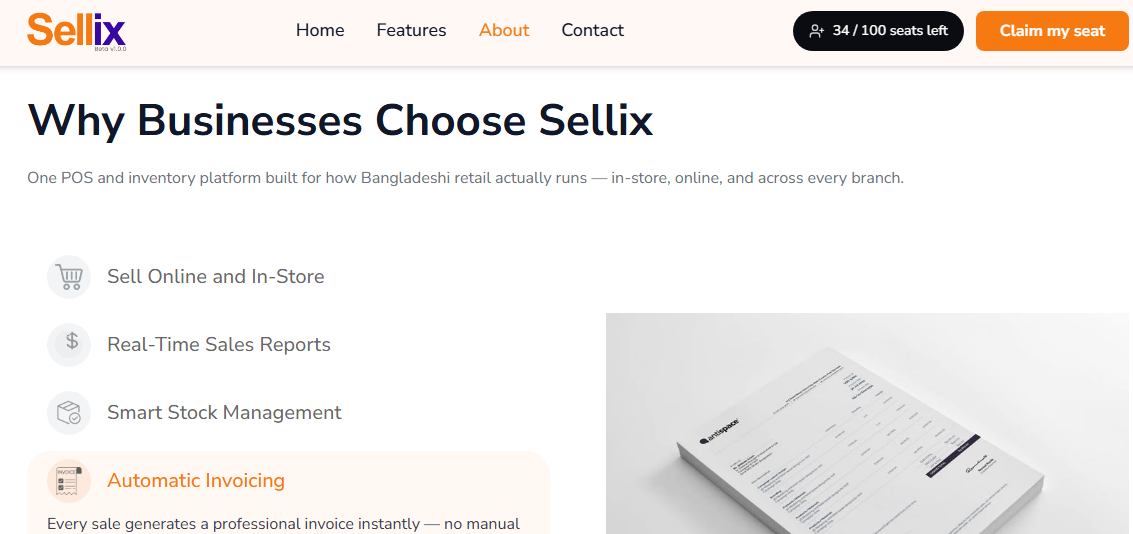
All-in-One Retail Management: Manage POS, inventory, purchasing and accounting.
Fast and Reliable POS: Simplify billing and checkout operations.
Real-Time Inventory: Maintain better stock visibility.
Multi-Outlet Control: Manage branch-level and centralized operations.
Integrated Purchasing: Organize supplier and purchase records.
AI Restock: Get inventory forecasting and replenishment insights.
Developed by Taskco Digital, Sellix aims to help retailers manage smarter, sell faster and grow with better operational control.
Choose the Best POS Software in Dhaka for Your Retail Business
Choosing the best POS software in Dhaka is an important step towards improving retail business management. From faster billing and accurate inventory to purchasing, accounting and multi-outlet management, the right system can simplify everyday operations.
Instead of managing different activities through disconnected tools, retailers can benefit from an integrated solution like Sellix by Taskco Digital. With connected POS, inventory, purchasing, VAT, accounting and AI restock capabilities, Sellix helps businesses build a more organized retail operation.
Ready to manage your retail business smarter? Book your free Sellix demo today and explore how one platform can simplify your business operations.