Best Inventory Management Software for Mini Mart
Manage stock, purchases and sales efficiently with Sellix, the Best Inventory Management Software for Mini Marts.
Running a mini mart involves managing hundreds or even thousands of products, monitoring daily sales, tracking stock levels and ensuring that popular items are always available. Without a proper system, maintaining accurate inventory records can become challenging. That is why choosing the Best Inventory Management Software is important for mini mart owners who want to reduce stock errors, control purchases and manage daily operations more efficiently.
For mini marts looking to simplify their operations, Sellix by Taskco Digital offers an all-in-one retail business management platform that connects POS billing, inventory management, purchasing, supplier management, sales reports and accounting. Instead of managing different business activities separately, mini mart owners can use Sellix to manage essential retail operations through one connected platform. It helps businesses improve stock visibility, monitor sales performance and make more informed purchasing decisions.
What Is Inventory Management Software for a Mini Mart?
Inventory management software is a digital solution that helps businesses record, organize, track and control their products. For a mini mart, Best Inventory Management Software provides a structured way to manage incoming stock, outgoing products, available quantities, purchases and sales.

A mini mart usually sells products from multiple categories, including groceries, beverages, snacks, household essentials, personal care products and packaged food. Managing all these items manually can lead to incorrect stock records, missing purchase information and difficulties identifying which products need restocking.
The Best Inventory Management Software helps mini marts maintain organized product records and monitor stock movement more accurately. It connects inventory activities with sales and purchasing operations, making it easier for owners to understand what is happening inside their business.
How Does Mini Mart Inventory Software Work?
A typical inventory management workflow includes:
Product Setup: Add product names, categories, prices, quantities and other relevant information.
Purchase Recording: Record products purchased from suppliers and update stock quantities.
Sales Tracking: Connect product sales with inventory records through POS billing.
Stock Monitoring: Review available quantities and identify products that need restocking.
Inventory Reporting: Analyze stock movement and product performance to support business decisions.
When these activities are connected, mini mart owners can manage daily operations with better visibility and control.
Why Do Mini Marts Need the Best Inventory Management Software?
Mini marts operate in a fast-moving retail environment. Customers expect essential products to be available whenever they visit, while business owners need to maintain stock without investing unnecessarily in slow-moving products.

The Best Inventory Management Software helps address these challenges by organizing inventory information and connecting stock records with daily business activities.
1. Prevent Stock Mismatch
One of the common problems in mini marts is the difference between recorded stock and actual stock. Manual calculations, missed entries and unrecorded sales can create inaccurate inventory records.
Best Inventory Management Software helps track product movement through recorded purchases and sales. This makes it easier to identify discrepancies and maintain more reliable stock information.
2. Avoid Overstocking and Understocking
Keeping too much stock can block business capital, while insufficient stock can result in missed sales opportunities. Mini mart owners need to understand which products sell quickly and which products remain on shelves for longer.
The Best Inventory Management Software provides useful stock information that helps owners make better purchasing decisions. With Sellix's AI Restock capabilities, businesses can also access stock insights to support restocking decisions.
3. Manage Multiple Product Categories
A mini mart may sell rice, cooking oil, snacks, beverages, toiletries, cleaning products and many other items. Managing these products through separate notebooks or spreadsheets can become complicated.
Best Inventory Management Software allows owners to organize products into categories and maintain their records in one place.
4. Improve Purchase Planning
Purchasing products without reviewing current stock can lead to unnecessary orders. A connected purchase and inventory system helps business owners review available stock and purchase records before ordering from suppliers.
5. Save Time on Daily Operations
Manual stock counting and recordkeeping require considerable time. By connecting sales, purchases and inventory records, the Best Inventory Management Software can reduce repetitive administrative work and help staff focus on customers and store operations.
Essential Features of the Best Inventory Management Software for Mini Mart
Not every inventory solution provides the same capabilities. Mini mart owners should select software that supports their actual retail workflow, from product management to purchasing and sales reporting.

Here are the important features to consider when choosing the Best Inventory Management Software.
1. Product and Category Management
A mini mart needs a well-organized product database. Product management allows owners to add products, assign categories and maintain important information such as product names, prices and stock quantities.
For example, a mini mart can organize products into categories such as:
Grocery and food items
Snacks and beverages
Personal care products
Household essentials
Cleaning products
Dairy and packaged goods
Organized product records make it easier to search for items, manage stock and review product information.
2. Real-Time Inventory Tracking
Real-time stock visibility is essential for a busy mini mart. When a product is sold or new stock is recorded, inventory information should remain connected to the business's sales and purchasing activities.
The Best Inventory Management Software should help owners monitor available quantities and review stock movement without depending entirely on manual calculations.
3. POS Billing and Barcode Scanning
Fast billing improves the customer experience, especially during busy hours. A POS system allows staff to process customer purchases and record sales digitally.
Barcode scanning can make product identification and billing faster. When POS and inventory functions are connected, sales records can also support inventory tracking.
4. Purchase and Supplier Management
Mini marts regularly purchase products from different suppliers. Without organized purchase records, owners may struggle to track what they ordered, how much they purchased and which supplier provided the products.
Best Inventory Management Software helps to maintain supplier information and purchase records. These records make it easier to review purchasing activities and organize future orders.
5. Low-Stock Monitoring and AI Restock
Some products sell faster than others. Mini mart owners need to identify items that require replenishment before they run out.
Best Inventory Management Software can help businesses understand inventory conditions and plan purchases more effectively. Sellix includes AI Restock capabilities to support smarter stock-related decisions.
6. Expiry and Batch Management
Expiry tracking is particularly important for mini marts that sell packaged food, dairy products and other perishable goods. Products with limited shelf life need proper monitoring to reduce avoidable waste.
When selecting the Best Inventory Management Software, check whether the system supports the expiry and batch management workflow your business requires.
7. Sales Reports and Accounting
Inventory information becomes more useful when connected with sales and financial records. Mini mart owners should be able to review sales performance, product movement and business expenses.
A connected retail platform can help owners understand which products are performing well and make better operational decisions.
8. Multi-Outlet Inventory Management
Some mini mart businesses operate multiple branches. In such cases, owners need visibility into stock and business performance across different locations.
Multi-outlet management helps businesses coordinate operations and maintain better control over branch-level activities.
Discover Sellix: Connecting Inventory, Sales and Purchasing in One Platform
Sellix is an all-in-one retail business management platform developed by Taskco Digital. It brings together POS billing, inventory management, purchase and supplier management, sales reports, accounting, VAT-related features and multi-outlet operations.
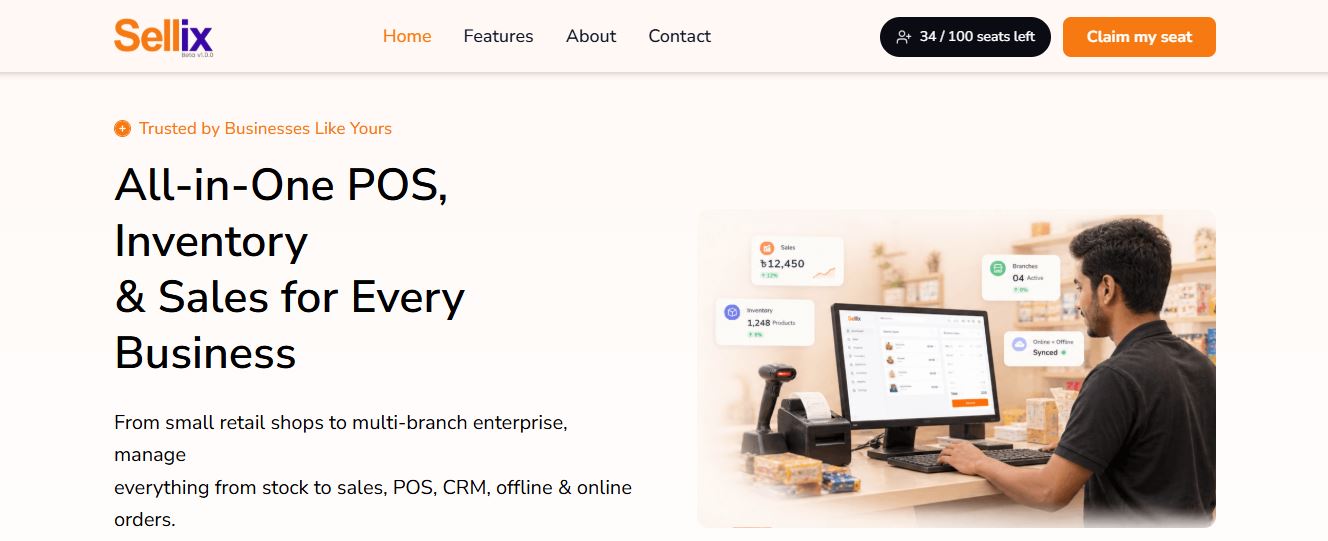
For mini marts, Sellix provides a connected way to manage everyday retail activities rather than relying on separate tools for billing, stock records and purchasing.
How Sellix Helps Manage Mini Mart Inventory
1. Organize Products: Add products, manage categories and maintain product information in the system.
2. Record Purchases: Manage purchase activities and supplier information to keep purchasing records organized.
3. Process Sales: Use POS billing to record customer transactions and connect sales activities with inventory operations.
4. Monitor Stock: Review inventory information and stock movement to understand product availability.
5. Review Business Performance: Use sales reports and accounting features to gain better visibility into business activities.
6. Plan Restocking: Use AI Restock insights to support inventory planning and purchasing decisions.
By connecting these activities, Sellix helps mini mart owners manage essential retail operations through one platform.
How to Choose the Best Inventory Management Software for Your Mini Mart
Choosing software is an important business decision. A solution that works for a large supermarket may not always be suitable for a small mini mart. Before selecting the Best Inventory Management Software, consider the following factors.

Understand Your Business Requirements
Start by identifying your daily operational challenges. Do you struggle with stock mismatch, purchase records, slow billing or supplier management? Choose a system that addresses your actual requirements.
Check POS and Inventory Integration
Your billing and inventory systems should work together. When sales and stock records are connected, it becomes easier to monitor product movement and maintain accurate information.
Review Reporting Capabilities
Check whether the software provides useful sales, inventory and financial reports. These insights can help you understand product performance and make informed decisions.
Consider Business Growth
If you plan to expand your mini mart or open additional branches, consider a solution that supports multi-outlet operations. The Best Inventory Management Software should support your current needs while allowing room for business growth.
Evaluate Ease of Use and Support
Your staff should be able to learn the system without unnecessary complexity. Before purchasing, request a live demo and understand the available training and customer support options.
Manage Your Mini Mart More Efficiently with Sellix
Sellix is designed to bring essential retail business operations together. Instead of managing billing, inventory, purchasing and business records through disconnected tools, mini mart owners can use one platform to manage these activities.

Here are some reasons to consider Sellix:
All-in-One Retail Management: Manage POS, inventory, purchases, suppliers and other retail operations through one platform.
Real-Time Stock Visibility: Maintain better visibility into product quantities and stock movement.
Fast POS Billing: Process customer transactions through an organized POS system.
AI Restock Insights: Use stock insights to support better replenishment decisions.
Sales and Accounting: Review sales performance and business records.
Multi-Outlet Management: Manage retail operations across multiple branches.
VAT-Related Features: Access VAT and Mushak-related functionality for business operations.
For mini marts that want to improve daily retail management, Sellix offers a connected platform to organize essential business activities.
The Way Forward for Mini Mart Inventory Management
Managing a mini mart requires more than selling products. Business owners must control stock, record purchases, manage suppliers, process sales and monitor business performance. Handling these activities manually can become increasingly difficult as the product range and customer volume grow.
Choosing the Best Inventory Management Software can help mini marts organize their inventory, reduce manual recordkeeping and make better purchasing decisions. A connected platform also makes it easier to manage billing, stock and business reports together.
Sellix by Taskco Digital brings these essential retail functions into one platform. If you want to understand how it can support your mini mart, explore Sellix and request a live demo to see its features in action.